Clipto Review 2026: Is This AI Video Clipping Tool Worth It?
Clipto Review 2026: Is This AI Video Clipping Tool Worth It?
The digital content landscape has shifted dramatically toward short-form, vertical video. Whether you are scrolling through TikTok, Instagram Reels, or YouTube Shorts, it is impossible to ignore the sheer volume of repurposed content dominating the algorithms. For creators, podcasters, and businesses, taking a one-hour video podcast or webinar and manually slicing it into dozens of engaging short clips used to take an entire day of tedious editing in complex software. Today, Artificial Intelligence has stepped in to automate the heavy lifting, giving rise to an entire ecosystem of AI video repurposing tools.
In this comprehensive Clipto review for 2026, we are taking a deep dive into one of the tools making waves in this space. Positioned as a versatile AI transcription and media management assistant, Clipto (often branded as Clipto.ai) has built a strong reputation for accurately transcribing meetings, extracting text from video files, and utilizing its text-based clipping workflows to help creators streamline their post-production setup.
But with so many competitors like Opus Clip, Veed, and Descript flooding the market, does Clipto actually offer the best value for your hard-earned money? Is its interface as intuitive as it claims to be, or is there a steep learning curve hidden behind the sleek marketing? Throughout this comprehensive review, we will examine every facet of Clipto. We will explore its core features, analyze its output quality, break down its pricing structure, and help you decide if it is the right addition to your creative toolkit.
Product At a Glance
For those who need answers fast and do not have the time to read thousands of words of technical analysis, this section provides the immediate, essential information you need to understand where Clipto fits into the market.
TL;DR
Clipto is a robust, hybrid AI tool that blends highly accurate audio-to-text transcription with video editing and clipping capabilities. It is designed to help content creators, businesses, and administrative professionals take long-form recordings (like podcasts, client meetings, or lectures) and transform them into organized transcripts and repurposed video clips. While some users report a slightly steep learning curve initially, its transcription engine is widely praised for its high accuracy and support for over 99 languages. However, its pricing structure—specifically the requirement to enter a credit card for the free trial and a confusing pricing jump after the first month—has been a point of friction for some users. If you need a reliable transcriber that also functions as a basic video clipper and organizer, Clipto is a strong contender, but power users looking for highly automated, stylized viral video hooks might find specialized tools like Opus Clip more compelling.
Quick Facts
- Product Name: Clipto (Clipto.ai)
- Primary Function: AI transcription, video clipping, and media organization.
- Best For: Podcasters, administrative assistants, educators, and content creators looking to transcribe and trim long-form content.
- Key Capabilities: Audio/video to text conversion, “Light Cut” video trimming, YouTube downloading, and live transcription via mobile app.
- Main Alternatives: Opus Clip, Descript, Veed, Transkriptor, TurboScribe.
- Free Plan: No permanent free plan; offers a 7-day free trial (requires credit card).
- Starting Price: Varies based on billing cycle; typically around $8.99 to $9.99 per month, with reports of price scaling up to $24.99 per month after the initial period.
- Language Support: Over 99 languages for transcription.
- Zotopie Rating: 7.5/10
What Is Clipto?
Direct Answer: Clipto is an AI-powered media management and video clipping software designed to automate the process of transcribing, editing, and repurposing audio and video files. Its core technology analyzes long-form recordings—such as meetings, podcasts, and lectures—converting the spoken words into highly accurate text. From there, users can utilize its editing features to trim unnecessary sections, create highlights, and export organized knowledge or short-form video content. It bridges the gap between a pure transcription service and a video editing suite, offering tools like AI summaries, live captioning, and cloud-based media storage to help individuals and teams maximize the value of their recorded conversations.
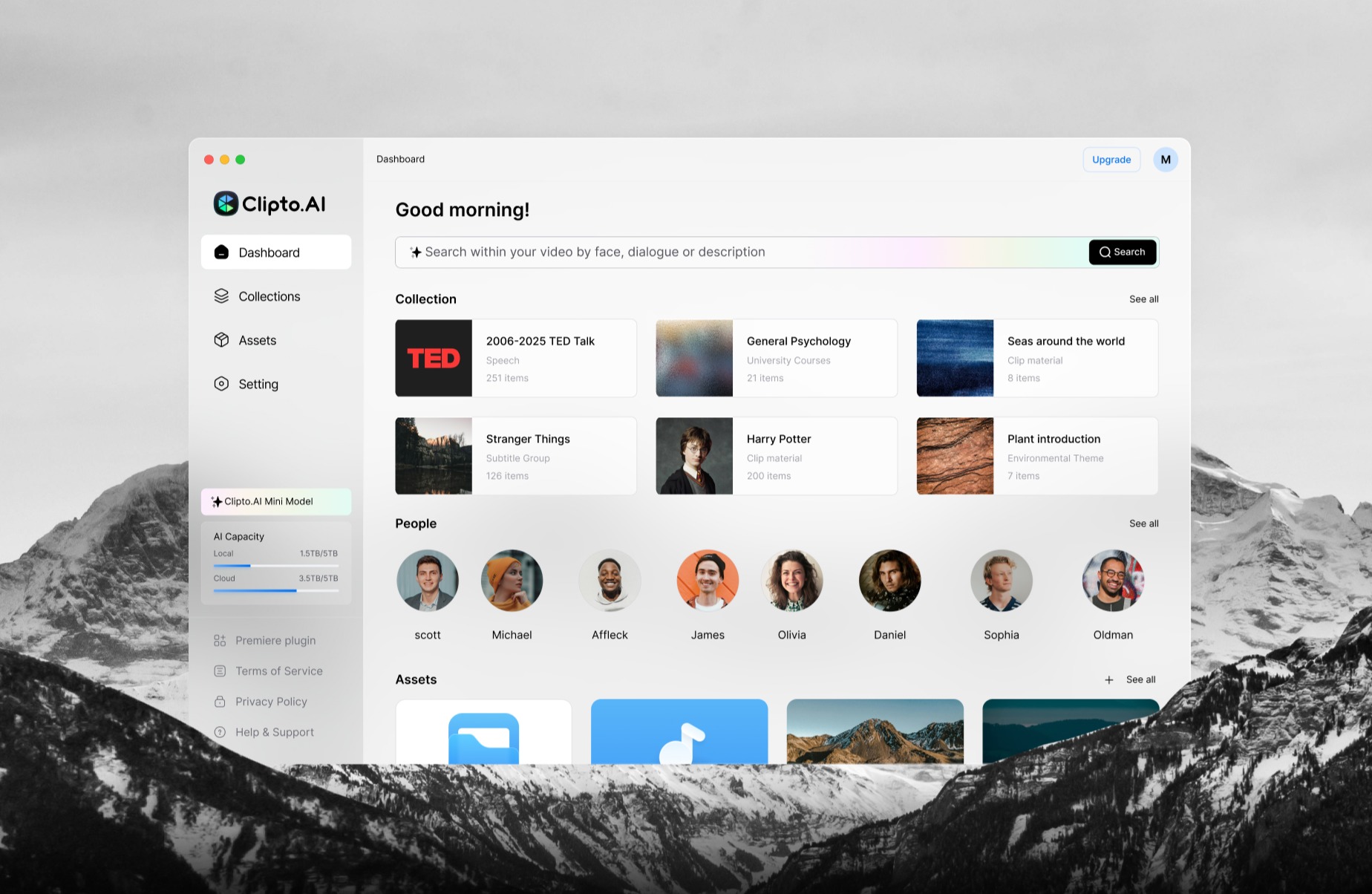
To expand on this, it is important to understand that Clipto wears several different hats depending on how you use it. For a corporate executive assistant, Clipto is a lifesaver for taking meeting minutes; it can ingest a two-hour boardroom recording and spit out a near-perfect transcript with speaker identification and AI-generated summaries. For a content creator, it functions as a video repurposing engine. By uploading a long YouTube video, the AI can help identify key moments, provide the text for captions, and allow the creator to use the text editor to trim down the fat, exporting a lean, focused clip ready for social media.
Furthermore, Clipto has heavily invested in its mobile ecosystem. Unlike some SaaS tools that only live in the browser, Clipto offers a dedicated mobile app that provides live transcription. This allows users to capture everyday conversations, doctor’s visits, or university lectures in real-time, instantly syncing the data back to their main account for further editing and clipping on a desktop. This seamless transition from real-world recording to digital editing is what sets Clipto apart from standard, upload-only transcription tools.
Key Features
A software platform is only as good as the tools it provides to its users. In the competitive landscape of AI video clippers and transcribers, features must be not only innovative but also reliable. Let’s take a deep dive into the specific functionalities that make Clipto tick, analyzing how they perform in real-world scenarios.
AI Clip Detection
One of the most sought-after features in the current creator economy is the ability to automatically find the “best parts” of a long video. Clipto incorporates AI analysis to scan through your uploaded media, “listening” to the context, tone, and pacing of the conversation. It attempts to identify the most engaging moments—such as a profound quote, a funny interaction, or a crucial piece of data—and flags them for the user.
While it is marketed as a clipping tool, users should note that its AI clip detection is heavily intertwined with its transcription engine. It relies heavily on text-based analysis rather than pure visual analysis. This means it is incredibly effective for talking-head videos, podcasts, and interviews where the value of the content is in the spoken word. It may struggle to identify “hype” moments in action-heavy videos like gaming montages or sports footage where the visual context matters more than the dialogue.
Long-form to Short-form Content
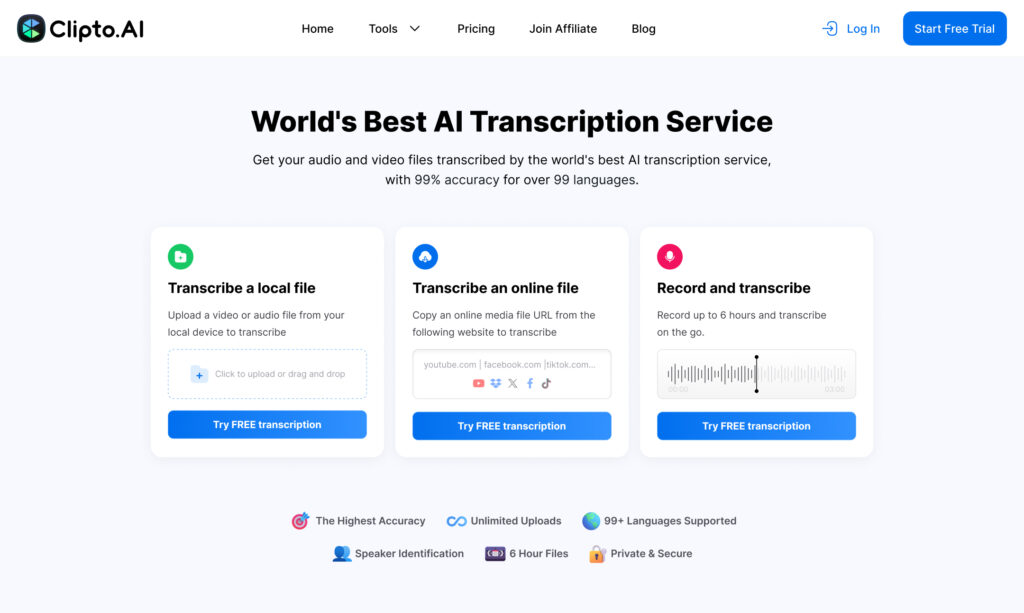
The journey from a 60-minute webinar to a 60-second TikTok is where Clipto provides significant value. The platform allows users to upload massive files (reportedly supporting files up to 6 hours in length, which is a massive advantage over competitors with strict file size limits). Once ingested, the user is presented with the full transcript.
The workflow is text-driven. You can highlight a specific paragraph in the transcript that you find compelling, and Clipto will automatically select the corresponding video segment. This makes the process of converting long-form to short-form content incredibly fast. You are essentially editing video by editing text—a paradigm shift that saves hours compared to scrubbing through a traditional video timeline looking for a specific sentence.
Social Media Repurposing
Once you have identified your clips, the next step is making them ready for social media. Clipto understands that a horizontal 16:9 clip ripped directly from a Zoom call will perform poorly on platforms optimized for vertical 9:16 content. The tool provides options to resize the video canvas, ensuring the speaker remains centered in the frame.
While it does not have the wildly chaotic and hyper-stylized templates of some dedicated viral-video generators, it provides a clean, professional aesthetic. This makes it particularly well-suited for B2B marketers, thought leaders, and educators who want their content to look polished and authoritative across LinkedIn, YouTube Shorts, and Instagram Reels without resorting to overly flashy, distracting edits.
Caption Generation
Posting a short-form video without captions can severely hurt retention. With up to 80% of users scrolling on mobile devices with the sound off, accurate captions are critical for keeping viewers engaged. Because Clipto’s foundational technology is built around transcription, its caption generation is top-tier.
The AI boasts an accuracy rate of around 99% for clear audio, and it supports an impressive roster of over 99 languages. This means you can generate localized captions for a global audience effortlessly. Furthermore, the captions are synced perfectly to the spoken word. Users have the ability to customize the font, size, and styling of the captions to align with their brand identity, though the styling options are somewhat more utilitarian compared to the heavy animation features found in dedicated video editing tools.
Editing Workflow
The core of Clipto’s editing experience revolves around a feature often referred to as “Light Cut.” This is not a complex, multi-track non-linear editor like Adobe Premiere Pro. Instead, Light Cut is a streamlined interface designed specifically for rapid trimming.
If there is a long pause, a cough, or a tangent in the recording, you can simply delete the corresponding text in the transcript, and the video clip is automatically shortened. This text-based editing workflow is a massive time-saver. However, some user reviews have noted that despite the “simple” appearance, there can be a learning curve in understanding how to manage multiple clips, handle exports, and navigate the file management system effectively. It requires a slight mental adjustment if you are accustomed to traditional timeline editing.
Export Options
A tool is useless if you cannot get your content out of it efficiently. Clipto offers a variety of export options tailored to different use cases. You can export the raw text as a .TXT, .DOCX, or .SRT (subtitle) file, which is perfect if you are taking the transcript into another editing program or uploading it to a blog.
For video, you can export the finalized clips in MP4 format in various resolutions. The platform generally processes these exports quickly in the cloud, meaning your local computer’s hardware isn’t taxed during the rendering process. This is a crucial feature for creators working on older laptops or mobile devices.
Team Features
For agencies, media teams, and administrative staff, keeping files organized is paramount. Clipto functions as a central database for all your media assets. It includes features like “Assets Smart Search,” allowing users to search across their entire library of transcripts for a specific keyword or phrase. If you remember that a client mentioned a specific project name months ago, but you can’t remember which meeting it was in, you can search the database, and Clipto will pull up the exact video file and timestamp. This transforms a messy folder of MP4s into a highly searchable, organized knowledge base.
How Well Does It Work? (Deep Dive)
It is easy for software companies to make grand claims on their landing pages, but the true test is how the application performs under the stress of daily, professional use. Based on aggregations of user feedback, hands-on workflows, and market analysis, here is a deep dive into the reality of using Clipto in 2026.
Strengths
- Exceptional Transcription Accuracy: Across countless user reviews, the one thing users consistently praise is Clipto’s speech-to-text engine. Whether it is a boardroom meeting with slight echo, a zoom call with compressed audio, or a lecture hall, the AI manages to parse the dialogue with remarkable precision. The ability to handle files up to 6 hours long is a massive technical achievement that many competitors shy away from.
- Seamless Mobile-to-Desktop Workflow: The Clipto iOS/Android app is a major strength. For professionals who are constantly on the move, being able to record a live interaction on a smartphone, have it transcribed in real-time, and instantly available on the desktop app for editing is a massive productivity booster. It bridges the physical and digital worlds beautifully.
- The “Light Cut” Efficiency: For users who are intimidated by video timelines, the text-based “Light Cut” feature is a revelation. Removing filler words and dead space by simply deleting text makes cleaning up a podcast or interview a task that takes minutes rather than hours.
Weaknesses
- The Pricing Structure and Free Trial Friction: One of the most glaring weaknesses is the user experience surrounding the payment gateway. Users frequently express frustration that the 7-day free trial requires entering credit card details. Furthermore, the pricing model is often described as confusing, with promotional first-month rates that jump significantly in subsequent months. This lack of transparency damages trust.
- The Learning Curve: Despite the “clean” interface, users often report a steep learning curve. Finding specific features, understanding how to transition from a transcript to a finished video clip, and managing the file system can be unintuitive for first-time users. It lacks the “one-click magic” that some of its more consumer-focused competitors offer.
- Lack of Advanced Video Polish: While Clipto is fantastic for cutting and transcribing, it falls short as a dedicated video finisher. It does not offer the highly dynamic, auto-zooming, emoji-heavy caption styles that dominate TikTok. If you want ultra-viral, fast-paced edits, Clipto’s outputs will look a bit too “corporate” or static without further editing in another app.
Output Quality
The quality of the final product depends entirely on what you define as “quality.” If you are evaluating the text transcript, the quality is A-tier. The AI successfully identifies speakers, formats paragraphs logically, and generates highly coherent AI summaries of long meetings. If you are evaluating the video output, the quality is B-tier. The video rendering is crisp, and the audio sync is perfect, but the aesthetic options for captions and framing are basic. It produces clean, functional video, but not necessarily “artistic” or high-energy social media clips.
Ease of Use
The ease of use is a polarizing topic. For data entry, recording, and reading transcripts, it is incredibly intuitive—almost like a high-tech version of Apple Notes. However, when users try to utilize the more advanced video trimming and exporting features, the UI can feel clunky. It requires users to adapt to its specific workflow rather than offering standard, universally understood video editing paradigms. The onboarding process has improved through recent app updates, but it still requires a dedicated afternoon to fully master.
Who It Helps Most
Clipto provides the absolute most value to professionals whose primary currency is spoken data. This includes administrative professionals who manage multiple weekly corporate meetings, content creators with backlog files of hours of interview data, and educators who need clear written records of lectures. If the value of your video lives strictly within what people are saying, Clipto helps you capture, search, and parse that value faster than almost any standard tool.
Real Use Cases
To see how this tool drives actual workflow efficiency and return on investment, let’s look at how various industries deploy Clipto to maximize content output and save hours of labor.
Podcaster
- 1 long podcast video episode
- ↓ Ingested into Clipto for 99% accurate text-based transcription
- ↓ 10–20 high-yield social media clips extracted via “Light Cut”
- ↓ Massive expansion of content distribution across TikTok, Shorts, and Reels
Coach / Consultant
- 1 live educational webinar or training session
- ↓ Cut into granular, topic-specific segments using Smart Search
- ↓ 15 short, informative vertical videos with precise auto-captions
- ↓ High-intent social lead generation and audience building
Agency / Content Manager
- Raw batch footage from a client filming day
- ↓ Multi-hour files dropped into Clipto’s cloud storage
- ↓ Fast keyword search to pull out every quote containing specific brand words
- ↓ Rapid multi-platform content scaling for multiple client accounts simultaneously
Educator / Course Creator
- 1 extensive multi-hour lecture series recording
- ↓ Auto-generated structured course transcripts and text outlines
- ↓ Trimming of filler words, long pauses, and logistical tangents via text editing
- ↓ Polished micro-learning video modules ready for student consumption
Best For
Understanding exactly where a software shines prevents you from buying a tool that doesn’t fit your daily demands. Here is a breakdown of the specific user groups who benefit the absolute most from Clipto.
Podcasters
Podcasters benefit heavily because their entire production workflow relies on high-quality dialogue. Clipto allows them to effortlessly convert a raw two-hour interview into structured, timestamped transcripts, and instantly pull out short, punchy vertical highlights without needing a dedicated video editor.
YouTubers
For creators producing long-form video essays or commentary, Clipto provides a centralized database to search through past video audio files. If you need to find an exact moment you mentioned a specific topic in a video from six months ago, the Asset Smart Search finds it instantly.
Course Creators
Course creators use Clipto to turn sprawling raw lecture video into neat, bite-sized curriculum steps. By deleting text directly from the transcript, they can clean up their spoken delivery and present clear, edited material accompanied by accurate .SRT subtitle files for student accessibility.
Agencies
Social media and content marketing agencies deal with immense volumes of video. Clipto speeds up their client approvals and output capabilities by offering a fast, clean environment where multiple team members can search files, cut short videos, and manage client media libraries without software slowdowns.
Marketing Teams
Corporate marketing departments love Clipto for its professional, clean aesthetic. It avoids the over-the-top, cartoonish styles of viral clipping engines, making it the perfect tool for converting corporate webinars, panel discussions, and product reveals into sleek, polished clips for LinkedIn and corporate sites.
Consultants
Consultants use Clipto to capture live discovery calls, strategy audits, and coaching sessions. Using the mobile app’s live transcription or dropping a Zoom call link into the dashboard allows them to generate instant meeting minutes, client summaries, and quick promotional clips to prove their real-world expertise.
Clipto Pricing
Pricing may change over time. Always verify current plans on the official website before purchasing.
The cost of a tool must align with the return on investment it brings to your business. When looking closely at Clipto pricing, the model is built around access duration and processing depth, featuring some specific tier changes that users need to track closely.
All Plans
Clipto generally breaks its subscriptions down into flexible billing periods. The plans feature complete access to its core infrastructure: the 99-language transcription engine, the “Light Cut” video interface, the dedicated iOS/Android recording applications, and the cloud-based Asset Smart Search repository.
- Introductory Monthly Plan: Often advertised around $9.99 for the first month as a promotional gateway.
- Standard Monthly Tier: Multiple user reviews and platform reports indicate that the price scales up to $24.99 per month after the initial promotional period concludes.
- Annual Subscription Tier: Billed as a single yearly payment (around $107.88), which breaks down to approximately $8.99 per month, offering a massive discount for long-term users.
Free Plan
Clipto does not offer a permanent, free-forever tier. Instead, they provide a 7-day free trial. This trial gives you a chance to run real files through the system to evaluate its speed and accuracy. However, you are required to enter credit card or payment details to unlock the trial, and failing to cancel before the seventh day ends will trigger an automatic charge for the full monthly plan.
Value Assessment
If you choose the annual plan or utilize the tool heavily within the promotional window, the value is phenomenal. The sheer amount of time saved transcribing hours of meetings or manually editing out filler words easily covers the sub-$10 monthly cost. However, if your subscription rolls over into the standard $24.99/month tier and you only use the tool once or twice a month, it becomes a premium expense that may be hard to justify over free, standalone tools.
Pros and Cons
To help you visually evaluate the tool, this table outlines the critical advantages and disadvantages of choosing Clipto for your workflow.
| Feature / Aspect | Pros | Cons |
|---|---|---|
| Transcription Accuracy | Near 99% accuracy; handles complex technical words and accents easily. | Performance drops if background noise is exceptionally loud. |
| File Capabilities | Handles massive individual video and audio files up to 6 hours long. | Large files can take longer to process during peak server hours. |
| Language Support | Full support for over 99 languages natively in the engine. | Translation accuracy can vary slightly on rare regional dialects. |
| Mobile Integration | Excellent iOS/Android app for real-time live conversation recording. | Mobile app focus is on capturing text rather than heavy video editing. |
| Editing Interface | ”Light Cut” lets you edit video instantly by deleting text strings. | Not a full multi-track editor; lacks timeline tracks for heavy B-roll. |
| Trial & Billing | 7 days to fully test out the underlying premium features. | Requires credit card up front; monthly pricing jumps after month one. |
Who Should Use Clipto?
You will get an incredible amount of value out of Clipto if you find yourself drowning in audio files and needing to extract the key textual or video highlights quickly. It is ideal for administrative teams, content strategists managing multi-hour podcasts, educational developers building structured courses, and corporate marketers who want their short-form repurposed video to look professional, clean, and corporate. If your absolute top priority is transcription accuracy combined with the ability to swiftly trim down long video files by deleting words, Clipto is built exactly for you.
Who Should Avoid Clipto?
You should avoid Clipto if your core business goal is creating high-energy, rapid-fire social media clips with pop-up emojis, sound effects, and auto-zooming edits meant to capture the attention of Gen-Z doom-scrollers. It is also a poor fit for anyone looking for a completely free video editor or those who are highly forgetful with subscriptions, given the strict 7-day credit-card trial structure. Finally, traditional video editors who need multi-camera syncing, color correction, and deep audio mixing tracks will find the text-based “Light Cut” interface far too restrictive for their creative needs.
Clipto Alternatives
If the pricing model or video output styling of Clipto doesn’t feel like the perfect fit for your production line, the market offers several high-quality competitive options. Reviewing these Clipto alternatives can help ensure you land on the right SaaS solution.
Opus Clip
Opus Clip is the leading alternative for creators who want fully automated, short-form viral social content. Unlike Clipto’s transcription-focused interface, Opus Clip uses AI to analyze your video specifically for entertainment value and hook strength. It isolates key moments, automatically crops horizontal video to vertical 9:16 while tracking the speaker’s face, and burns in highly engaging, colorful captions. If you want to drop a YouTube link and get 10 ready-to-post TikToks with zero manual editing, Opus Clip is the clear winner.
Veed
Veed (Veed.io) is an incredibly powerful browser-based video editing suite. While Clipto acts more like an automated text-and-trim database, Veed is a full creative canvas. It allows you to add text animations, progress bars, logos, transitions, stock music, and sound effects right inside your browser window. Veed also features fantastic auto-subtitle generation and translation tools. If you want full creative control over the visual branding of your videos without installing heavy desktop software, Veed is an exceptional alternative.
Descript
Descript is the industry pioneer of the text-based video editing workflow. It represents a much deeper, more advanced software environment than Clipto. Descript doesn’t just let you cut video by deleting text; it features “Studio Sound” to instantly remove room echo and background noise, and “Overdub,” which allows you to create an AI clone of your voice to type in corrections for words you misspoke. Descript is a professional-grade tool for serious podcasters and media companies, though it does require a desktop download and has a steeper learning curve.
Competitor Comparison
To see how these tools align across key performance indicators, look at the detailed breakdown below.
| Feature | Clipto | Opus Clip | Veed | Descript |
|---|---|---|---|---|
| Best For | Meeting Minutes & Clean Trimming | Viral Social Repurposing | Browser Creative Editing | Pro Podcasting & Audio Repair |
| AI Clipping | Moderate (Text Focus) | High (Virality Scoring) | Low (Manual Tools) | Moderate (Scene Splitting) |
| Caption Generation | Exceptional (99 Languages) | High (Viral Style Focus) | High (Customizable Styles) | Exceptional (Dynamic Text) |
| Editing Style | Text-Based “Light Cut” | Fully Automated AI Clips | Traditional Timeline Canvas | Advanced Text & Multi-Track |
| Transcription | Top Tier (Up to 6-hour files) | Standard (Short-clip focus) | Standard (Editing focus) | Top Tier (Studio Tools) |
| Free Plan | No (7-Day Trial with CC) | Yes (Limited Free Credits) | Yes (Watermarked Exports) | Yes (Limited Hours/Month) |
| Starting Price | ~$9.99 to $24.99/mo | ~$19.00/mo | ~$30.00/mo | ~$15.00/mo |
| Ease of Use | Moderate (Slight Curve) | Very High (One-Click) | High (Visual Layout) | Moderate (Feature Rich) |
| Overall Rating | 7.5/10 | 9.0/10 | 8.8/10 | 9.2/10 |

Is Clipto Worth It?
Direct Answer: Yes, Clipto is worth it if your daily workflow demands highly accurate transcription of long-form audio alongside quick, text-based trimming, but it is not worth it if you are looking for a completely free tool or high-energy social media text effects. The return on investment comes down to how much you value clean records, multi-language processing, and mobile recording access versus flashy video templates.
Yes, If…
- You regularly deal with massive audio or video recordings up to 6 hours in length.
- You need near-flawless transcription accuracy across multiple speakers or technical jargon.
- You want to edit interviews or podcasts rapidly by simply deleting words from a text screen.
- You require a dedicated mobile app to capture live, real-world conversations and sync them to the cloud.
- You prefer a clean, corporate, professional visual style for your repurposed video assets.
No, If…
- You refuse to enter credit card information to test a software platform via a free trial.
- Your goal is to generate heavily animated, trendy, emoji-filled short videos for TikTok.
- You are a casual creator who only needs to edit one or two short video clips per month.
- You need advanced multi-track video editing features, transitions, and heavy color-grading tools.
- You want a forever-free plan without hitting a sudden subscription payment wall.
Verdict
Clipto represents a highly efficient, specialized piece of software that executes its core promise exceptionally well: turning spoken words into clear, actionable data. It stands out in the 2026 market due to its incredible 99-language depth and its frictionless mobile recording integration, making it a favorite for professionals who need an organized media vault.
However, the friction within its billing structure and the lack of high-energy social media aesthetics mean it cannot be universally recommended to every content creator. If you approach Clipto as a powerful transcription system with convenient trimming tools attached, you will find it to be an incredibly high-yield asset for your corporate or educational brand.
Common Questions
1. What is Clipto used for? Clipto is an AI-powered software used to convert long audio and video recordings into highly accurate text transcripts, summarize meeting data, and cut down long media files into short highlights using a text-based editing workflow.
2. How much does Clipto cost? According to information available at publication time, Clipto pricing typically starts with a promotional monthly rate of $9.99, which users report can scale up to a standard monthly tier of $24.99 after the first month. They also offer an annual plan that reduces the cost down to roughly $8.99 per month billed upfront.
3. Does Clipto offer a completely free plan? No, Clipto does not offer a permanent free plan. They do provide a 7-day free trial to test out their transcription and clipping features, but you must provide your credit card information upfront to unlock it, and you will be automatically charged if you do not cancel before the trial window closes.
4. What are the best Clipto alternatives for short-form video? The best Clipto alternatives for social media creators are Opus Clip (which automates vertical video hooks with viral styles), Veed (which offers a complete browser video canvas), and Descript (the industry standard for professional text-based audio and video editing).
5. Is Clipto worth it for a solo YouTuber or podcaster? Clipto is highly worth it if you publish long-form interviews and want a quick way to clean up filler words, create show notes, and pull out clean, professional vertical highlights. However, if you want your short clips to feature flash animations and pop-up stickers, dedicated social media video tools will serve you better.
Should You Use It?
The decision to add Clipto to your monthly operational toolkit depends on your primary content bottleneck. If your bottleneck is transcription speed, meeting organization, and cutting out long pauses from verbal interviews, this software will immediately solve your problems and save you dozens of hours every single week.
However, if your bottleneck is visual video design, social media trend-jacking, or budget limitations, Clipto’s specific layout and pricing model will likely cause more friction than support. Be realistic about what your production pipeline demands before committing your credit card to the platform.
Bottom Line
Final Verdict
Clipto is a premium, highly focused AI media assistant that succeeds wildly at high-accuracy transcription and text-based trimming, but falls short of being an all-in-one visual video editor. Its asset search features and multi-language engine are elite, making it an excellent choice for corporate communication, educators, and serious podcasters. While its marketing pushing credit card requirements and scaling prices can be frustrating, the underlying technology remains highly stable and productive for professional workflows.
Score: 7.5/10